Showing posts with label technology. Show all posts

Learning By Doing

These thoughts are in response to Darren Draper's post at the Tech and Learning Blog.

I served a mission for my church in Russia for two years. Before I got there I studied the language for at least 8 hours each day for seven weeks. You can imagine how well I thought I spoke when I left for Russia. When I got there, I realzed that I spoke horribly. However, after about six months in the mothellrland, speaking russian as much as possible, I could take care of myself pretty well. After finishing my two years, I arrived. I could tell jokes in Russian. I could make plays on words. I was able to do this because I spoke the language. I learned by doing something.

In schools many teachers expect students to learn by sitting and getting.

There is one place that can and should be a place at schools that students can learn by doing: the library.

The library could be renamed the learning by doing lab. If students want to learn about something, they should be able to do it in the library.

The media specialists who work in the library would be leaders of controlled chaos. They are there to help the students learn by doing. When they do that, the students will be in charge of their learning and the media specialists would be their guides.

Perhaps the best thing about the library is that they don't have a class or a curriculum that they must follow like teachers do. They can reach out to every curriculum and every class at the school. They can provide the tools for those curriculums to help the students learn by doing.

The media specialist should have a working knowledge of all the curriculums in the school so she can be a resource to help teachers.

Have a Good Life.

Tech and Learning

I have been lucky enough to be able to teach many other teachers and students on a variety of topics. A friend and I were recently talking about how people from different generations learn. He mentioned that younger people (like our students) want to dive in and figure things out. Older people (like teachers) want to be told step-by-step how to do things.

When I teach adults and students alike, I adapt my teaching method to whatever seems most comfortable for them. When I teach students, I usually let them play with things and only show or demonstrate when they get stuck. So far, my students have enjoyed this.

Last year, when I did TechnoThursdays, I usually had to go more step-by-step with the adults who came and needed help, which is why I used the wikispace to help them see the step-by-step directions. TechnoThursdays were the ideal setup. I would create a wiki with directions of what we were going to do. Then I would talk to the teachers and walk those who needed it through that web page.

Technology makes that possible. It allows everyone to be on their own page when it comes to learning. They can go slow or they can go fast. This year, I have made many screencasts that show how to do different things with our transition to Google Apps for Education email accounts. The screencasts allow the teachers to view the needed material, often without any audio, and as many times as they personally need. Some people just need to know that a certain functionality exists, and they will do the rest on their own. I am not doing TechnoThursdays this year because I do that in one technology-themed faculty meeting each month. Allowing everyone to go at a speed that is comfortable to them has made those meetings much more effective. It gives people permission to go above and beyond what I am teaching.

The Aloha Team at my school went one step beyond my lesson about blogging on our school web site. They made their own wiki and their own blogs and those blogs are linked on this wiki. Their next step is to create an RSS feed that feeds right on to that page (a challenge for next year). That is something that could not have happened if I did not let them go at their own pace--a vital key to any learning situation.

I think about when I teach in other settings where technology is not available, the learners have no opportunity to go at their own speed. The instructor determines the speed, and they must conform to it. There is no other choice.

Understanding the ways that my students and other adults learn has helped me figure out how I learn the best. I like a mixture of what I give my students and what I give adults. I like the structure of an actual class, but I like being able to go at my own pace. Since I have finished my Masters degree, I have been able to focus more on what I want to learn, when I want to learn it. Using Twitter has also helped me gain more information than I could ever imagine.

"Send that to my Computer" that really works


I really like the show "24" and being a geek, I always notice the geeky things that are cool in that show. One of the things that I want is to be able to say to someone, "Send the file to my computer" and have them able to actually do it. That would be awesome. Well, I found out how to do that. It is a little program called Dropcopy. Below is a video I made showing how it works. 


On my MacBook Pro, I only have one account, and on the iMac, I have two accounts, one for me and one for my wife. To get it to transfer to the iMac properly, I had to manually set up both accounts, which wasn't that hard because I just had to put in the IP addresses for the iMac (same IP addresses, obviously) and give the different accounts nicknames, which isn't actually necessary. From my iMac to the MacBook Pro, it worked flawlessly, and saw the computer without any additional setup. 

It seems to transfer faster than using Finder to transfer files (though I don't think it is any faster), and certainly faster than a thumb drive. Also, it is super easy. Just drag and drop a file. The Preferences pane does give some additional options, which I think are useful and pretty self-explanatory, so I will just show some screenshots. If you have any questions, just leave a comment. 


Another neat feature is that you can send short text messages to the other computers. I imagine that in a school setting, this would be pretty neat.

That is much faster than finding my hall passes, or a piece of paper, and writing out the same note. And, it is much less of a disruption when the kid comes into class. But, imagine if you use it to collaborate with your teachers. The department chair has a curriculum that she needs everyone to have, but she forgot to send it out. In no time, the other teachers would have the file sent to them, and they would be able to access it. It would be faster and easier than email. 

I use Apple Remote Desktop all the time, and this little program would make it very easy to send files for people to install. For example, trying to download Smart Technologies software (for Smartboards and our Clickers) is a total pain. With this, I can easily send files to people so that they can install the updates, instead of going through the ridiculous sign-in process via the SmartTech Website.

Have a Good Life.

Acer Aspire One

Acer is offering a 30-day trial of a desktop and a notebook to K12 schools. They are offering these trials, with the hopes that the schools that try them will purchase labs for their schools. I signed up and within a week, I got a call from their sales department and by the end of the week, I had the notebook I ordered in my hot little hands.
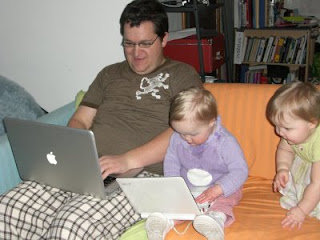
The notebook is the Acer Aspire One Netbook. These are the specs:

• Intel® Atom™ Processor N270
(512KB L2 cache, 1.60GHz, 533MHz FSB)
• Genuine Windows® XP Home Edition
• 1GB DDR2 533 SDRAM
• 160GB hard drive
• Multi-in-one card reader
• SD Card reader
• 8.9" WSVGA (1024 x 600) TFT display,
Acer CrystalBrite Technology
• Intel® Graphics Media Accelerator 950
• 802.11b/g WLAN, 10/100 LAN, webcam

I was actually surprised that they sent this to me, because it looks like their best model. It has the same processor speed of our Dell notebook that we bought a few years ago, but this model has a built-in webcam, and a multi-in-one card reader.

Software
So far, this computer is awesome. I really like it. Windows XP does have its drawbacks, but it is pretty responsive and with the addition of PortableApps, it is even better. PortableApps are portable, free, open-source programs that are intended to be used on small flash drives. They keep all your data and history and everything on the stick, so that you can pretty much use them on any Windows computer. They are designed to be lightweight, easy on the resources, and fast. So far, they have delivered. I downloaded the non-portable version of Firefox 3 and it ran much slower than the portable version. There was a noticable difference.

The netbook comes with an eRecovery program which will reset the computer to the factory default. As much as I have needed to reformat my other PCs in the past, this is a great feature, one that I am sure other companies have as well, but that I have never used. It works (I tried it, just for fun). Other than that, it comes with the standard schtick for XP computers.

I downloaded iTunes on it, and that ran pretty slow. The videos were choppy. We went for a little drive yesterday and set it up for the girls to watch a movie. After downloading VLC and using that to watch it, the video was smooth and the audio was just fine. VLC allows you to turn the volume up to 200%, which is a good thing because the speakers are pretty weak. It is not bad if you are alone, but as I was trying to watch a YouTube video with my two girls screaming to be able to play with the computer, it just wasn't even close. They were too quiet and too tinny.

Hardware
There are two things that I really don't like about it. First, the mouse buttons are on either side of the trackpad. Wicked annoying. The redeeming quality for the trackpad is that it has a flavor of my MacBook Pro's multi-touch trackpad. I can two-scroll, tap and drag, and right-click, all on the trackpad, without having to touch the buttons. It is still pretty fickle when it wants to wrk, and that is kind of annoying. I have gotten very used to not having any mouse buttons and I am surprised how much I like my freedom from buttons.

The second big hardware/design flaw is that down near the hinge on the screen and the base, there are two sharp points on each side. Not cool. I catch my pants, fingers, and blankets on those all the time.


The keyboard rocks! I thought that it would be very hard to get used to, but it is just the right size, the keys hit just right, and it feels very comfortable considering its small size. The webcam is not perfect, but it is good enough for a quick Gmail video chat, but I don't think the computer would handle much more advanced video conferencing. HD YouTube videos don't play well on here, so video conferencing would really take a toll.

I did record some video in Windows Movie Maker of my daughters playing around, and it worked fine, so I think the camera would be good for most uses.

I wonder if I could upgrade the RAM to 2GB and if that would make a difference.

When the 30-day trial period is over, I have the option to buy the netbook for only $199. That is a great deal for a great computer. If you have the opportunity to sign up for the seed program, you really should go for it. In the next couple days, I hope to get a post up about using this as a 1-1 device, a purpose for which I think it is almost perfectly suited.

Have a Good Life.

Making the Cash Money

A couple months ago, I decided that I should sell some of the books that I had for my Masters program. Many of the books are really quite good, but I doubt that I will read many of them again. Ironically, it seemed that the best books were the ones I happened to find in a library, and they are the books I felt I should actually buy, but never did. I have always hated buying textbooks. I actually don't really like buying any books. I feel like it is mostly a waste of money, when I can just get them at a library for free. I am an English teacher and I do love reading, but there aren't many books that I buy that I read more than once (and sometimes I don't even read them).

I have a program called Delicious Library 2. It is basically a fancy-schmancy way to organize your books and other possessions. There are two killer features that make it a totally worthwhile purchase:
  1. Barcode Scanning
  2. One-click listing on Amazon.com
When you put a barcode up to your iSight (or any other webcam) Delicious Library searches Amazon.com for the item. If it finds it, then it downloads all the information for it from Amazon, without any input from you. It includes recommendations, retail price, current price (the lowest used price on Amazon) and other information. If Library cannot find your item on Amazon.com, it searches other amazon sites until it finds it. There have been a couple times that it has not been able to find my item, but it is pretty rare. In the event that it doesn't find it, I can go find it myself, and drag the address into Delicious Library, and it will create an item based on that web site. Very slick.

Once I have all the information about my item, I can see if it is worthwhile for me to try and sell it. For example, the book "Getting to Yes" has a new price of about $10, but the lowest used price is just under $6. A book by one of my professors has a list price of about $20, but is currently selling on Amazon for $27. That is one that I certainly want to list. To list an item, all I do is right-click it or  hit Shift+$ and it lists the item on Amazon. I still have to go through all the condition and setting-the-price stuff on Amazon, but it is very easy. Way easier than listing on Half.com, which is what I used to use. 

There are a lot of other neat things about this program, but I these two features have made it very easy for me to sell 7 of my college textbooks that I probably won't ever read. 

Have a Good Life.

Technology Pains


The above video clip is a public service announcement about the Digital TV transition that will take place in February, 2009. Since the clip is from Hulu, I don't think you can view it if you live outside the US.

I can't say I know how that woman feels, but I have seen this problem a hundred times.

Have a Good Life.

Questions about the iPod Touch

In the last post, Lynda asked a bunch of questions about the iPods. I want to answer them here, because it will help me reflect more.

1) How many students are sharing these 3 iPods?
The students are arranged into guided reading groups of 5 or 6. They rotate to different stations around the room, and they use the iPods and share them during that station. So, two people share an iPod.

2) What apps are loaded on the ipods?
eReader - an e-book reader app.
Stanza - another e-book reader app.
Wurdle - A Yatzhee-type of word game.
Word Whirl - You get seven letters and you have to make words that are from 3 to 7 letter long.
World Wiki - A wiki for every country in the world.
American Heritage Desk Dictionary - Apparently a pretty popular dictionary. Who knew?
Declaration and Constitution - Some historical documents that most people feel are pretty important.
iFlipr Lite - Flashcard app.
Flashcards - A good flashcard app that allows you to add pictures and photos to the flashcards. Very much worth the $2.99
Kid Book Envi - This is a cool app that allows you to read kids' books. Very cool.
There are a lot of great apps and I will probably buy more, because there are so many neat things.

3) How long is an ipod "session"?
They get 10 minutes at each station, so 10 minutes on the iPods.

4) How do you decide who uses the ipod? Is there a schedule? Is it time-based, or project-based?
That is, does a slower student get more time than a quicker student?
This is a good question, and I think that the students feel the best about the situation when they all get equal time on the iPods. One of the apps on there is a book reading app, and I may use that more in the future with the guided reading.

5) Is time on the ipod used as a perk or reward?
This is a touchy area of using technology. Technology is a privilege, not a right. I really want to use technology, and it is easier and more enjoyable for me, and so I try to not take it away. Well, these guided reading groups are not really easier, but they are worth it. I have had to take away the reading groups from one class, and I made that the punishment, not taking away the iPods.

6) What is the ideal ratio of students per iPod?
Ideally, I would want to have 1 student per iPod, but I don't think that is the best way to do it. I think having 2 kids on each iPod is good because they keep each other on task.

7) Does the student do work on the iPod? On a computer? On paper?
They do work on all three. Most of the work on the iPods have been watching instructional videos, where I am teaching something that I recorded previously and loaded onto the iPod.

8) Do you download podcasts from the iTunes store?
I have downloaded a movies from iTunesU that relate to the book that we are reading, Freak the Mighty. There are a lot of useful things from the iTunesU K-12 section that I will use, I am sure.

9) Are the students creating their own podcasts? If so, are they audio only? Video?
They eventually will create some sort of podcast, but that probably won't be done on the iPods unless I can get some microphones that work.

I hope these answers are satisfactory for you. If anybody has any ideas, feel free to let me know.

Have a Good Life.

iPod Touch in the Classroom

Due to a grant by our PTSA, I was able to purchase 3 iPod Touches for use in my classroom. I was going to do some unboxing pics, but I was too busy watching Heroes last night to worry about totally geeking out. But, I did get a chance to snap a picture of the three iPods.

Last school year, I talked about my dream of having these in the classroom. I still think it is a good idea, and I think that it will be beneficial for my students.

I bought a bunch of applications, though most of them were free. I have a few that I have been thinking of writing myself (shh, don't tell my wife, she thinks I have too much on my plate already) but I probably won't ever get to it, because it takes so much time to learn something so new to me.

The cool thing is that the kids love it. They would do any assignment I asked of them, just because it is on an iPod. So, where does that leave me?

Here is my philosophy: I don't know what it is yet.

I am bouncing around a few things.
  1. Students should use technology to do things that they would do anyways. For example, my students do a quickwrite every so often. Today, they entered their quickwrites in a form on our wiki and all their stories are in a spreadsheet on Google Docs.
  2. Students should use technology to do new things that they haven't done before. In other words, this should change the way I teach and the way they learn. For example, I made a video and put it on the iTouches for them to watch, and they received instruction by watching a video so that they could perform their next task.
  3. Students should use technology so that they are engaged and that is the only reason why.
I am amazed at how my students have reacted to the technology in our classroom. They love it. They are much more willing to do what I ask when they get to use technology.

I enjoy their enthusiasm for the technology, because it is something I share, also.

Will you help me clarify my philosophy about technology?

Have a Good Life.

How I Use My Document Camera


As part of the Engaged Classroom project that our district is sponsoring, we got a sweet document camera, the AverVision 300AF+.


It is perhaps the best piece of technology that I have added to my classroom. Here is why:
  1. It is easy to use
  2. Everyone can use it at the same time (by looking at it, not directly touching/using it)
  3. It allows me to model
  4. I can record videos
  5. I can take pictures of what the camera is seeing
  6. The students know exactly what they need to write down at each stage of an assignment
  7. Students (in Language Arts class) can receive immediate feedback from all students on their work
  8. It is easier for students to keep up and stay engaged in the lesson
If you go to my school website, you can see some videos that I have made of reading strategies. They are pretty boring to watch, but my kids love it when I am doing it live.

I did a small, very unscientific test, to see how well using this worked. In one class, I just gave instructions on an assignment with the document camera, and the students understood, had fewer questions, and paid attention for the entire time. With the other class, I delivered the same instruction, but didn't turn on the document camera. That class was more distracted, had more questions, and did the assignment at a lower quality.

The document camera is a simple thing, but it makes a big difference in student understanding.

Anybody else use a document camera? How do you use it? How can I use mine better?

Have a Good Life.

That was Anti-Climactic

Last week, I found out that Senator Howard Stephenson would be coming to my classroom today. Each day, it seemed that the number of other visitors changed. I wasn't sure at all what would actually happen, and neither were the district people that were closer to the situation. Everything was shrouded in mystery.


Yesterday, a rep from the audio enhancement company our school uses showed up to make sure that my microphone would feedback whenever I talked. I had turned down the high end because it was feedback city, and that took care of the problem. He came in (as a professional) and turned up the highs and seemed satisfied when it made the awful high-pitched scream. Silly man. I turned them back down in preparation for today's meeting.

Senator Stephenson came into my room and observed with 5 or 6 other people. I was hoping that we could get my teacher evaluation out of they way today, but that was not meant to be. They sat there and watched me teach about online safety, and then left. They didn't ask me any questions, or interrupt my lesson, or anything. I wasn't expecting a highway being named after me, but I was expecting something. There was nothing. I almost took a nap during my prep period immediately following the visit.

The sad thing is that they missed the best part. The kids made a KWL chart about being safe online in Google Docs on the wiki, and now we have a big list of everything that they know and want to know about being safe online. That part really was neat. It was hard to get my kids on task, because they were psyched out to be using the laptops.

For a different view, you can read Darren's take on the whole thing (with a picture, even).

The Message didn't Stick

I am participating in a program by our school district called the Engaged Classroom. I (and two other teachers) are going to have a mobile lab with a bunch of other technology to use for the year, and hopefully create some good projects and learning opportunities for our students. This is exactly the type of thing that I have wanted to do for a long time, so I am glad that I now have the opportunity.

Kelly and Darren are doing a great job teaching a very technologically diverse group of people about the different tools we should/will be using. They are experiencing what any other person teaching about technology will experience: sometimes, people just don't get it. Even if they say, "Yes, teacher, I understand what you are asking and I will do it from now on just like that."

After learning how to use Diigo (which I finally kind of understand now, thanks), Wikis, Google Docs, and plenty of other collaborative web apps, one student wanted to share a link with another student. So, this is what she did:)


You gotta love that. The image is backwards, and it is because I took it from Photo Booth and didn't have the energy to mirror the image so it came out right. Call me lazy.

Honestly, the worst thing in the world to me (not really, but a close second to getting stung by a jellyfish) is writing out by hand URLs. Talk about torture!

So the real question is, what is this person going to do with what she has "learned" this week? I am most certainly not mocking or poking holes in the wonderfully developed program. They have done a lot to make sure that they are following up; we must make a portfolio, attend monthly meetings, and teach others about the same things we are learning. This is a large beast to tackle for them, and I am excited to be a part of it.


Have a Good Life.

Skypin'


The last couple weeks we have been doing Skype video calls with another 7th grade class in Oregon. All we have been doing is reciting poetry, but it is still fun. My students have been really nervous, which is cool because they are able to perform in front of a real audience. I blocked out the faces of the students. We have been working with a class in Oregon. I think that it is so much fun to do this.

Today, we did a video call with a fourth grade boy and his teacher. The boy, D. asked a bunch of questions about Utah. It is part of a big project that the whole class is working on.

So, here is what I think of video calls with other classes. This can be a great way for people to learn more about other places and other people. I would really like to do some video calls with some writers since I teach English. It would be very beneficial to be able to learn from them, and use their knowledge and experience to help my students. Maybe my 7th graders are too young for that. I don't know. I do have one friend who is an author, but we just haven't had an opportunity to talk to him, though, thankfully, he is willing. This is something that I want to keep doing next year. The good this about this is that you are not putting anything on the internet, your kids' identities are protected, and you meet new people in the process.

Have a Good Life.

A 2nd Job to Support My Habit

I got another job again. This one is better than delivering donuts (which I did last fall). I am the newest member of the gang at The Apple Blog. I will be writing articles that relate to Apple products. If you subscribe or visit this blog often, please consider visiting and/or subscribing to that blog. I will try to give an educational slant to most of my articles over there.


My first article over there is about TubeTV--a program that downloads and converts online videos for iPod, iPhone, and AppleTV. I really like that program and I use it all the time. It is especially useful for teachers.

Thanks for supporting me here (and there), and don't worry, I will continue this blog.

TechnoThursdays Session 1

First of all, thanks to Pamela, Matt, Marcia, Jeff, Kara, Angela, Linda, and Pam for coming to TechnoThursdays today. I enjoyed working with each of you and I hope that you enjoyed learning some new things.

We talked about RSS. I showed the Common Craft Show video "RSS in Plain English."


Here are my thoughts. There were seven people there: that was a great number. Not too many, not too few.

I love technology, and I spend a lot of time figuring out how to use it to help me be a better teacher. Of course I get frustrated when things don't work, but I understand that sometimes it doesn't go as planned. My biggest fear with doing TechnoThursdays is that people will be put off by the learning curve of new technology. It always takes a while to learn new things, and if you don't have the commitment to seeing it through to make sure that it is or is not worthwhile, it is very easy to give up.

How can I help these teachers push through the learning curve and make it through?

Right now, I don't know, but I have a few ideas:
  • I need to help them see how it is useful. They need to see that kids are achieving better because of what I am doing. This is a hard one to measure. In language arts, it is difficult to see. I need to find/create some assessments that will show that what I do helps my students.
  • I started the session by showing them the things that I have done this year with technology. I went through those examples very fast; I thought I might overwhelm them with everything that I have done. I didn't even get to all that I have done. If I go a bit slower, talk about one thing, and let them ask questions about it, I think they will like that better. They can go on their own time and get a brief history on the wiki. I need to be there to talk about the experience.
  • I need to show them that it helps them. RSS brings websites to them. This will save them time, help them get new information (through sharing, which we also set up), and do other things. I helped a teacher set up student of the month nominations through Google Docs new survey form, and I really hope that it will make her job easier.
I hope that these three simple things work. If you have any other ideas for me, feel free to leave them in the comments.


Have a Good Life.

Senteo Clickers

I use iClickers in my Politics class down at BYU, and it they are pretty nice. Last week I learned about SmartTechnology's Senteo system which is pretty neat. The video below will give you a taste of it.


The nice thing about it that there are so many possibilities with it. Here is a video of the action with my students participating. So, here is the neat thing: at our school, we are supposed to give assessments and analyze the data. They want us to do really in-depth data analysis. This spreadsheet shows what Senteo exports. This is great because if you make these lists (which I am not sure how to do) you can show only those who missed certain questions, or those who got certain questions right. It is really neat.


With these spreadsheets, you can see how well you teach certain topics, see how you need to improve, see if a question is throwing everybody off. You can also find students that are doing really poorly, and figure out how to differentiate instruction for them.

Have a Good Life.

David Warlick @ The LIteracy Promises Conference

This page acts as my notes for his presentation, so please excuse any poor wording or bad grammar.

I am amazed at how connected David Warlick tries to make his presentations. We can edit his handouts (passy: teacher), be involved in a live chat during his presentation (he invites us to pass notes while he is talking), and access his outline also. Here is a pretty cool presentation of his...uh...presentation

Taking a cellphone to the grocery store is the new grocery list.

We need to teach literacy, and not technology.

URL backtracing - delete up to the last / and it will hopefully direct you to a parent webpage. He did a neat example showing that the publisher of a Martin Luther King Jr. website was actually a white supremacist group. This is an important thing to teach our kids. It is good for evaluating our sources.

He just use earthquake data to make a map of the world...Amazing. I need to learn how to do that. ANSS data from 12/1/4 to 12/31/4 importing it into Excel and then making a scatterplot. It was very cool.

Lulu.com is where he published his books. 1 hour after it was written, it was available for purchase. The site asks how much you want to make on the book, and then it gets it all ready and prints it on demand. This would be a great way to create a book written by students. So cool.

Great presentation. I am glad I stayed for it.

Have a Good Life.

Ask500Peeps

I found this polling site and thought I would try it out. I think it is pretty cool.

The Literacy Promise Conference

I attended the Literacy Promise Conference today. It is sponsored by the Brigham Young University CITES program. I just realized that my computer shut down while I was coming home from the conference and all the notes I took are gone. Drat!!!

This poet named Brod Bagert from New Orleans (3 syllables) spoke to us and he was amazing. He read a lot of his poems and the way that he performed was so inspiring. Here is a link to the recording that I made. This is the cool part of the story. When he started introducing the poem "Booger Love" I thought it would be a great one to record. But, the only recording software I have on my compy is Garageband, and I have not had much success with that. So, I invoked Quicksilver and did a Google search for Audacity, which I had heard about and tried to use before, but never got too far into it.
Bezel Interface

So, in the time that it took him to finish introducing the poem, I was able to download the program, install it, open it, and start recording him. This is why I like Macs. If I had my PC laptop, this never would have been possible. I would have taken way too many steps to get there, and there would be a 95% chance that the program wouldn't work (that is experience talking, by the way, we have had very little success with recording or capturing sound or video on that computer). Also, the battery would have been dead at that point (45 minutes into the conference) and I would have had a hard writing surface to capture the essence of his presentation.


The only thing that vexes me is that I wasn't able to record video with the iSight camera. That would have been better because his performance was not just his voice. So, if anyone knows of an easy free way to do that, please let me know.

By the way, here are my takeaways from the presentation (actual education stuff, imagine that):
  1. Perform poetry to your students and they will start to actually like poetry.
  2. If they like poetry, they will start to write it as a natural step.
  3. If they write it themselves, then you won't have to assign stupid haiku's.
  4. Poetry should be loved and studied just like sports, music, technology, or any other passion that someone possesses. This is key--study and love poetry because you deserve it.
Great presentation. I bought four books (on Amazon ;)

Have a Good Life.

Twitter Update


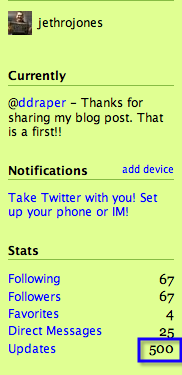
I am surprised that I have already updated on Twitter 500 times! I didn't think that I had used it that much, but I have. I really like it. I have learned so much it is just crazy. There are a lot of people floating good ideas around. I would really like to have documented everything that I have learned, but there is just so much that I have learned, I wouldn't even know where to begin.

Have a Good Life.

Pink Eye

I have pink eye. And yes, it sucks.

The other thing that sucks is that tonight is parent teacher conferences, or as we say in our school, student-led conferences. The students come in and present information from each of their classes to their parents, and instead of all the the teachers sitting in the gym and getting monstrous headaches, the students come to our rooms and talk about things that are going on in their classes. It is a much better setup. I like these conferences a lot. I really like being there and talking to the parents. Since I have pink eye, and my wife and kids are all sick as well, I decided that I should come home and help them. When everyone is sick, just being there is a lot of help. So, I decided that I would set my school laptop up in my room and be home with my family. I am doing it through Skype. Below is a picture of what it looks like while I am waiting for people to come talk to me.


I must admit that it is awesome to be able to do this. So cool.

Have a Good Life.